Web terminal allows kubectl access to a user cluster directly from the KKP dashboard web interface.
Therefore, you can also manage your cluster with the Web Terminal by using kubectl commands there.
To enable it, go to the Interface section of the Admin Panel. After enabling it, a button will appear on the top right side of the user cluster page and the API will allow its usage.
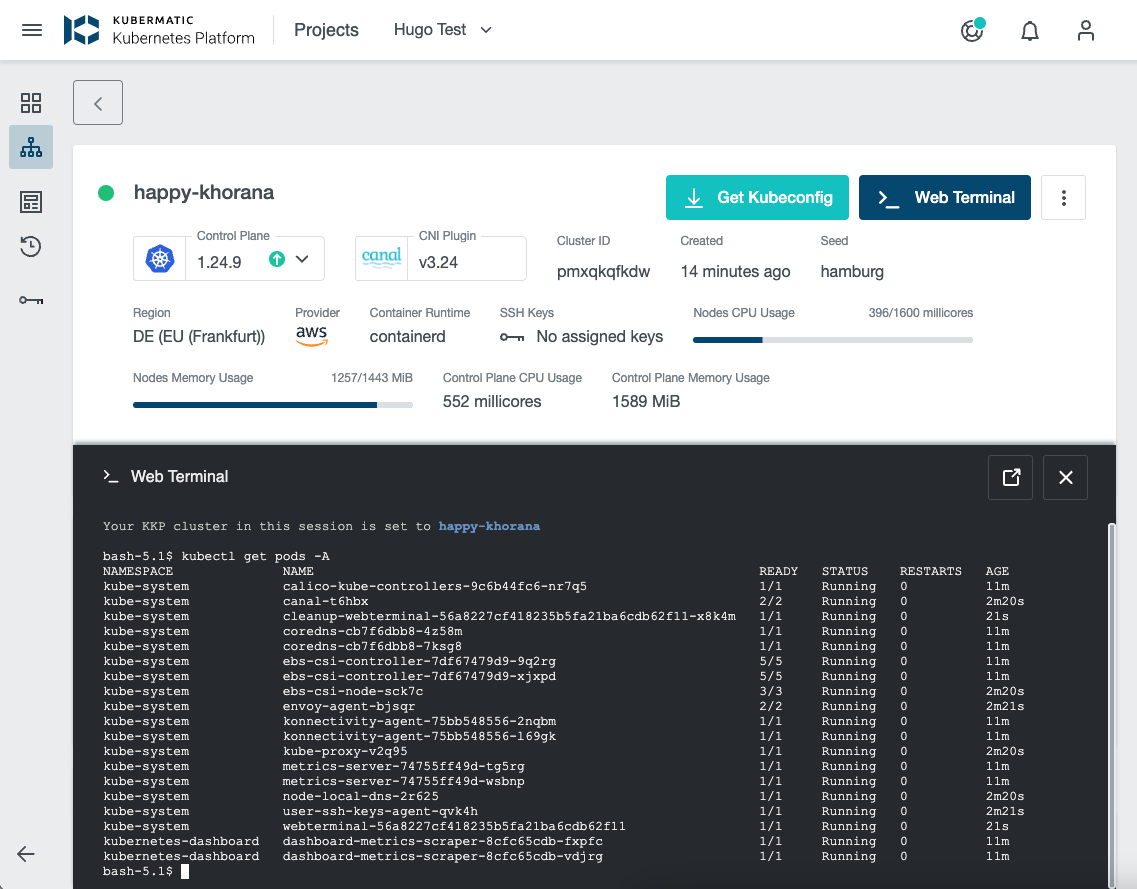
Note: at the first usage time, you will be requested to login to KKP again. Please use a user with the same Kubermatic user email.
How it works
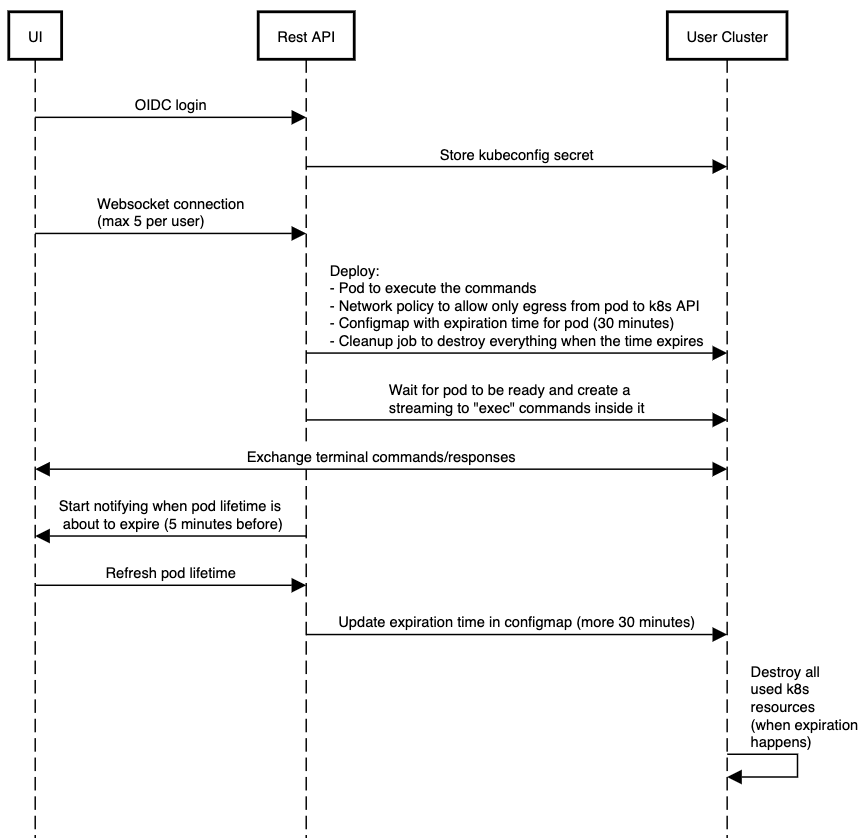
After KKP UI establishes a websocket connection with the KKP API, webterminal-related Kubernetes resources are deployed in the user cluster. These are responsible for executing the commands (pod), managing expiration, cleanup and network policy.
Then, the API starts streaming terminal commands from the UI to the Web Terminal pod deployed in the user cluster.
After 30 minutes, the expiration happens and every deployed resource is destroyed. Although, 5 minutes before the expiration time, the user is asked for extending the terminal for more 30 minutes.
Additional Configuration
KubermaticSettings CRD allows to configure additional options for the web terminal.
apiVersion: kubermatic.k8c.io/v1
kind: KubermaticSettings
metadata:
  name: globalsettings
...
spec:
  webTerminalOptions:
    enabled: true
    # Allow internet access from the web terminal
    enableInternetAccess: true
    # Additional environment variables that will be added to the web terminal pod
    additionalEnvironmentVariables:
      - name: "FOO"
        value: "bar"
Troubleshooting
Connection being closed after some time
KKP sets a fixed 1 hour timeout on the kubermatic HTTPRoute to support long-lasting connections of the web terminal. If you route through a user-managed external Gateway instead, make sure its timeouts allow connections to stay open for an hour. The httpRoute.timeout value in your values.yaml applies to the Dex and IAP routes, not to the kubermatic HTTPRoute.
Cannot connect to other pods or internet from the web terminal pod
The network policy deployed to the user cluster restricts access from the web terminal pod and allows only the egress traffic to the Kubernetes API server. Therefore you will not be able to access any other pods in the cluster from the web terminal pod.