Interface section in the Admin Panel allows user to control various cluster-related settings. They can influence cluster creation, management and cleanup after deletion.
Defaults Cluster Settings
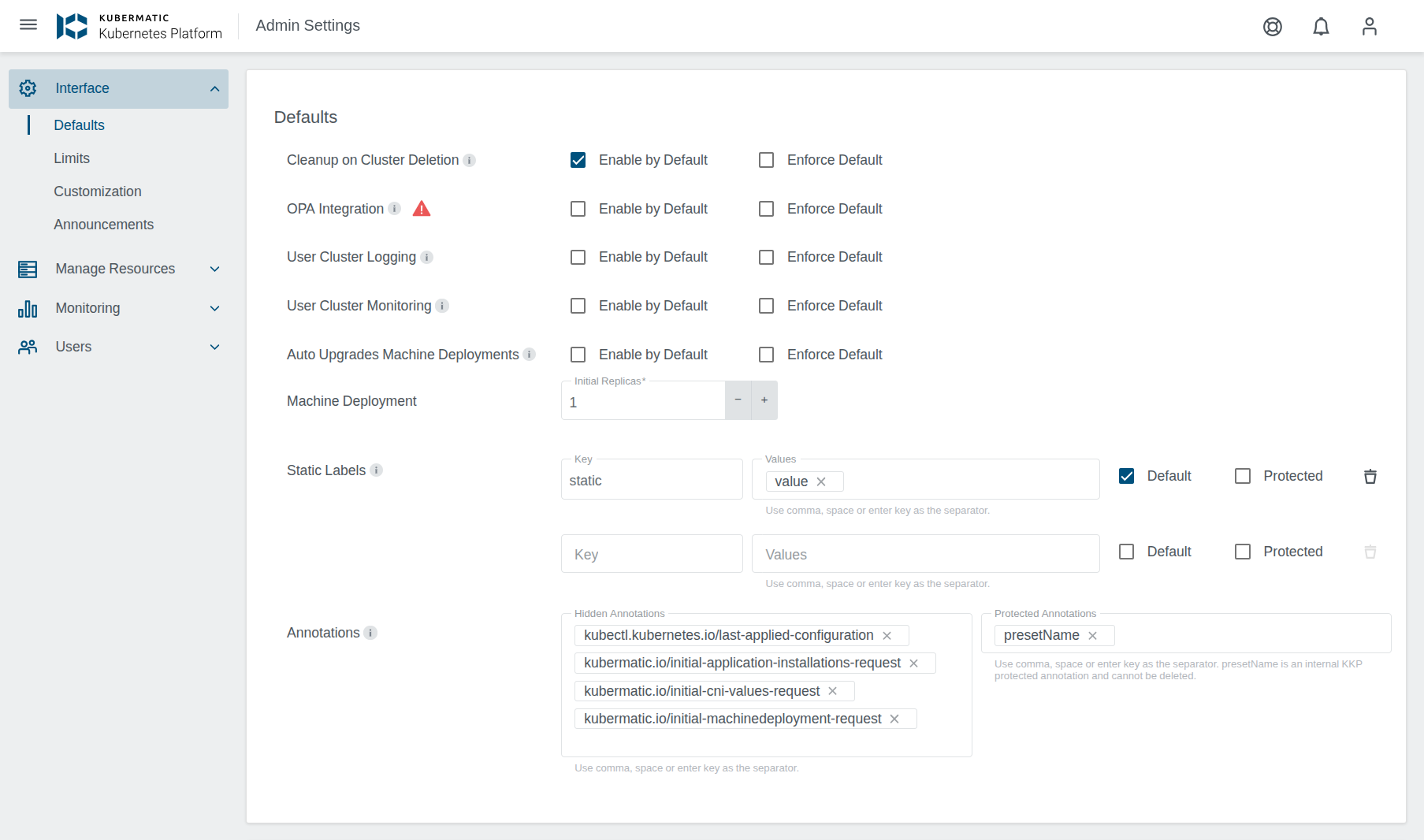
- Cleanup on Cluster Deletion
- Machine Deployment
- Static Labels
- Annotation Settings
- EventRateLimit Configuration
- Disable Audit Webhook Backend
- Provider Defaults
Cleanup on Cluster Deletion

This section controls cluster cleanup settings available inside cluster delete dialog.
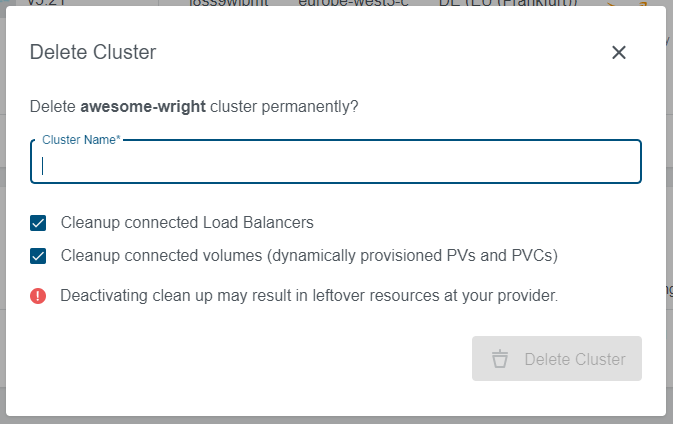
Enable by Default: Controls the checkboxes in the dialog. When selected, cleanup checkboxes will be checked by default.
Enforce Default: Controls the status of checkboxes in the dialog. When selected, cleanup checkboxes will be disabled and user will not be able to check/uncheck them.
Machine Deployment

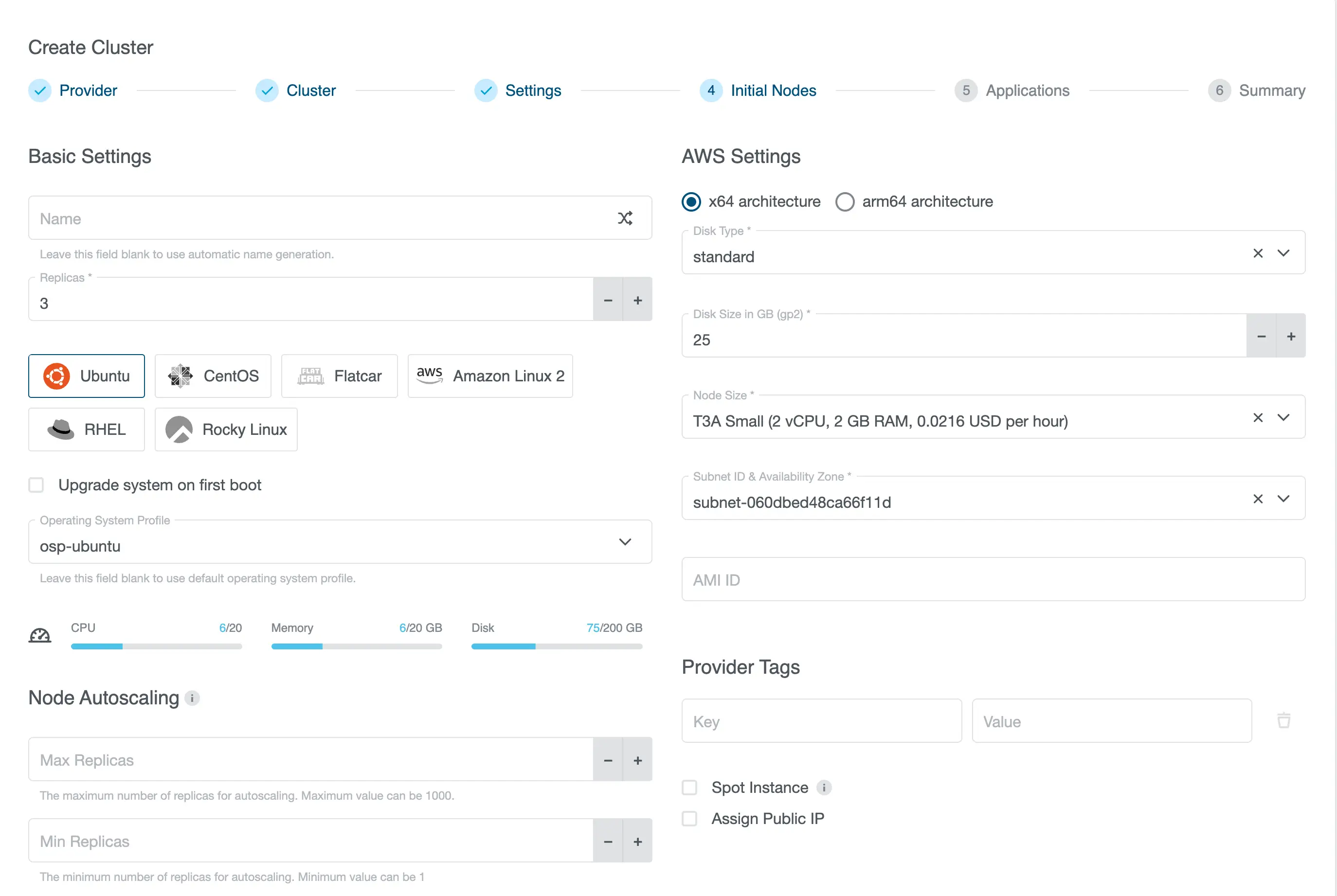
This section controls the default number of initial Machine Deployment replicas. It can be seen and changed in the cluster creation wizard on the Initial Nodes step and also on the add/edit machine deployment dialog on the cluster details.
Cluster Creation Wizard - Initial Nodes Step
Static Labels
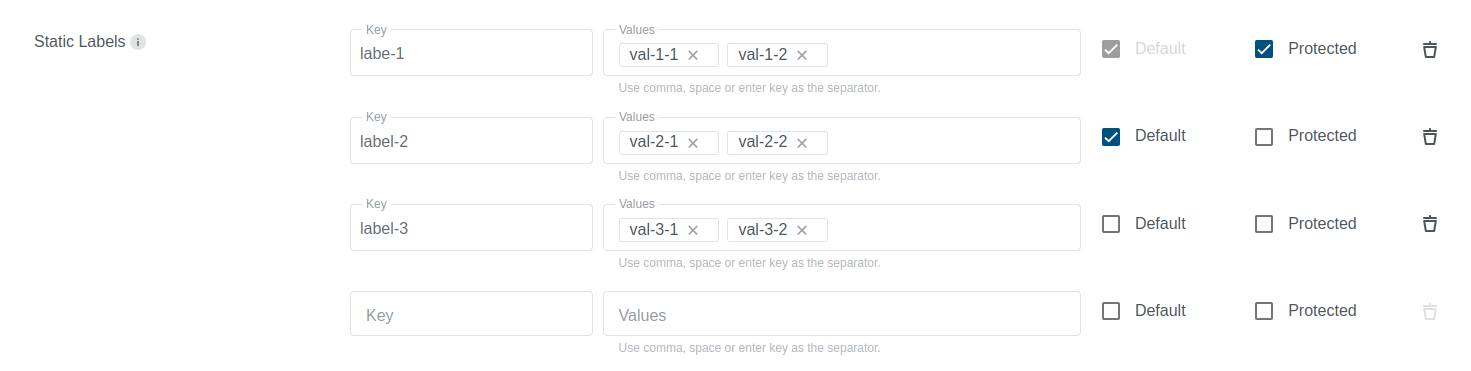
Static labels are a list of labels that the admin can add. Users can select from these labels when creating a cluster during the cluster settings step. The admin can set these labels as either default or protected:
- Default label: This label is automatically added, but the user can delete it.
- Protected label: This label is automatically added and cannot be deleted by the user.
Annotation settings

Annotation settings provide an easy way to control annotations that are shown and managed using KKP dashboard. KKP admins can configure the following:
- Hidden annotations: These annotations will not be shown to the user.
- Protected annotations: These annotations will be shown to the user, but they will not be able to modify them.
EventRateLimit Configuration
EventRateLimit configuration allows cluster administrators to set default event rate limit values for any combination of the four supported event rate limit types: Server (cluster-wide), Namespace (per-namespace), User (per-user), and SourceAndObject (per-source and object). Admins can select which limit types to configure and set their respective values.
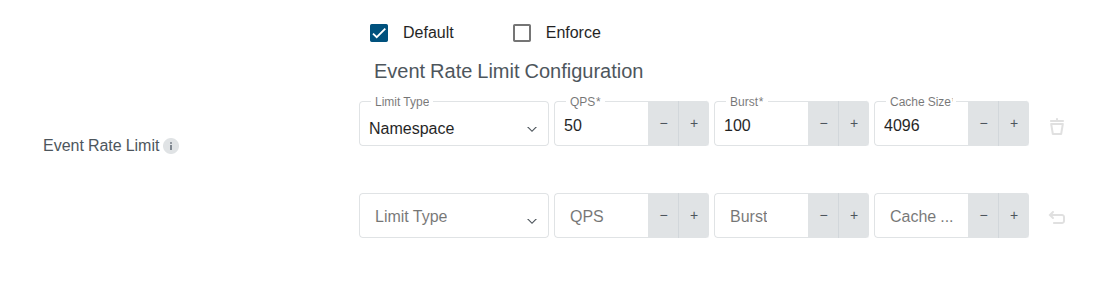
For each selected event rate limit type, the configuration provides two options:
- Default: When enabled, the configured values will be used as defaults for new user clusters, but users can modify them.
- Enforce: When enabled, the configured values will be applied and locked, preventing users from modifying these settings.
For each limit type, admins can specify:
- QPS: Queries per second limit (default:
50) - Burst: Maximum events per second (default:
100) - Cache Size: Number of cached buckets (default:
4096)
Disable Audit Webhook Backend
In some environments users are not able to configure an audit webhook backend themselves, so offering the option only creates confusion. The Disable Audit Webhook Backend setting lets administrators turn the option off for selected datacenters.
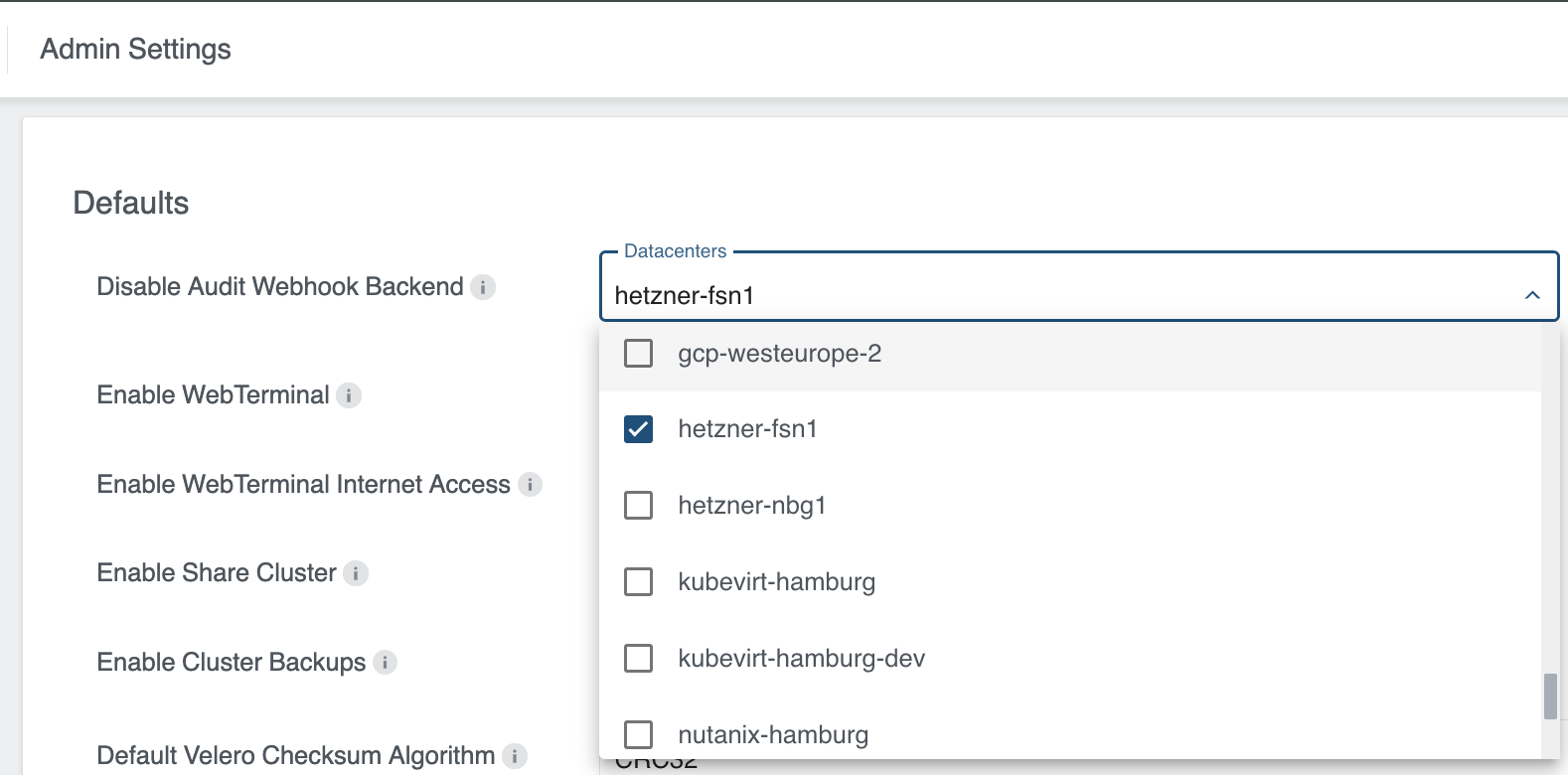
Select one or more datacenters in the Datacenters field. The setting applies to all users and can be changed at any time.
For clusters in a selected datacenter, the Audit Webhook Backend option is no longer shown when creating or editing a cluster. Users only see the Audit Logging option:
Without any restriction, both options are available:

In a restricted datacenter, only Audit Logging remains:

The restriction only affects datacenters that are explicitly selected; all other datacenters keep the option. Clusters that already use an audit webhook backend are not changed, but the backend can no longer be enabled for new or existing clusters in a restricted datacenter. Webhook backends enforced on the datacenter level are not affected by this setting.
Provider Defaults
Provider Defaults section groups settings that apply to a single cloud provider only.
- OpenStack - Image Discovery: Lets the dashboard list the images of the OpenStack project in the image dropdown instead of only offering the default image configured in the datacenter. See Image Discovery for details.
Limits

Limits section in the Admin Panel allows user to control various limits that can be applied to regular users.
Project Restrictions

Project Restrictions settings allow the administrator to control if regular users should be allowed to create, delete or edit projects.
User Projects Limit

User Projects Limit is an option to control maximum number of projects that regular users will be able to create. This limit is controlled on a per-user basis and affects only non-admin users.
Resource Filter

Resource Filter settings provide an easy way to control the size of machines used to create user clusters. The administrator can also control if selection of instances with GPU should be possible. Every node size that does not match the specified criteria will be filtered out and not displayed to the user.