Beta Feature: The Ingress conversion tools are provided on a best-effort basis. Not all NGINX annotations have Gateway API equivalents. Test thoroughly in non-production environments first.
KubeLB CLI ships with two interactive interfaces for migrating Ingress resources to Gateway API: a command-line workflow and a web dashboard. Both use the same conversion engine and configuration, producing identical results regardless of which you choose.
CLI is ideal for scripting, CI/CD pipelines, and targeted operations from the terminal. Dashboard shines when you want a visual overview of your migration landscape, side-by-side YAML comparison, or point-and-click batch operations.
For background on why you should migrate and the overall strategy, see the Ingress to Gateway API Migration guide. For the Helm-based automated approach, see Automated Conversion with KubeLB.
Prerequisites
1. Install the CLI
Download from the releases page or build from source:
go install github.com/kubermatic/kubelb-cli@latest
2. Set your kubeconfig
The ingress commands only need a kubeconfig pointing to the cluster with your Ingress resources. No tenant name or KubeLB backend is required.
export KUBECONFIG=/path/to/kubeconfig
3. Install Gateway API CRDs
Your target cluster needs Gateway API CRDs installed. The easiest way is to install Envoy Gateway which bundles everything. If you also want automatic policy generation (CORS, rate limiting, IP allowlists), Envoy Gateway’s CRDs are required.
# Install Envoy Gateway (includes Gateway API + policy CRDs)
helm install eg oci://docker.io/envoyproxy/gateway-helm --version v1.3.0 -n envoy-gateway-system --create-namespace
If you don’t need Envoy Gateway policies, pass --disable-envoy-gateway-features to skip policy creation. The conversion will still produce HTTPRoutes and GRPCRoutes that work with any Gateway API implementation.
4. Review configuration
Check the Configuration table below and set options via environment variables or flags. Defaults work for most setups.
CLI Workflow
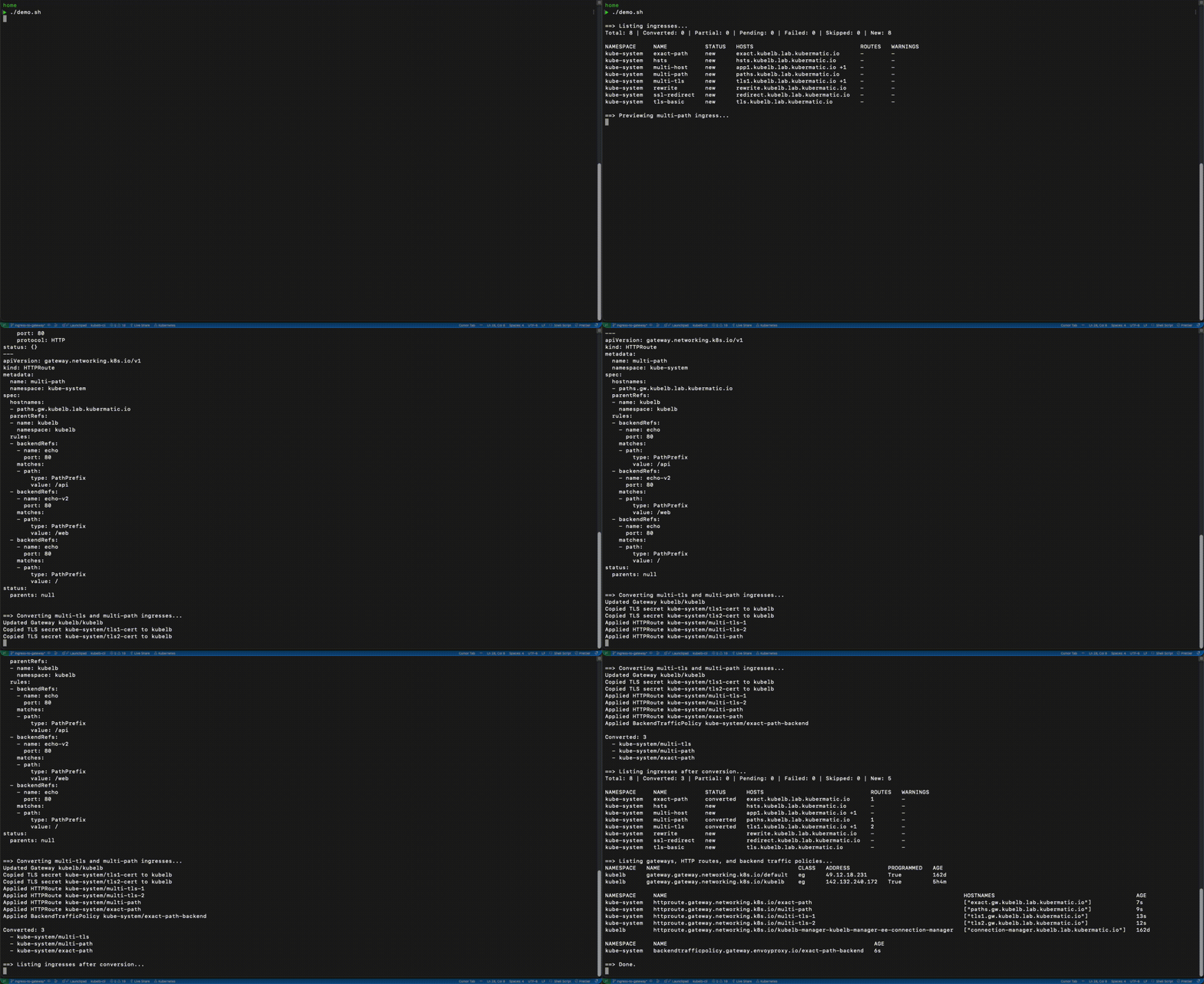
The kubelb ingress command group provides everything for a step-by-step migration. The typical flow is: list your Ingresses, inspect individual ones with get, preview the converted output, and convert when satisfied.
List Ingresses
See what you’re working with. The list command shows all Ingress resources alongside their conversion status:
# List ingresses in a specific namespace
kubelb ingress list -n default

# List across all namespaces
kubelb ingress list -A
Output includes a summary row and a table:
Total: 5 | Converted: 2 | Partial: 0 | Pending: 0 | Failed: 0 | Skipped: 1 | New: 2

NAMESPACE   NAME        STATUS      HOSTS                ROUTES   WARNINGS
default     api-app     converted   api.example.com      1        -
default     web-app     converted   web.example.com      1        -
default     legacy      skipped     legacy.example.com   -        -
staging     frontend    new         app.staging.io       -        -
staging     backend     new         api.staging.io       -        -
Status values: converted, partial, pending, failed, skipped, new.
Preview Conversions
The most important step – always preview before converting. This shows exactly what Gateway API resources would be created without touching the cluster:
# Preview a single ingress
kubelb ingress preview my-app -n default

# Preview all ingresses in a namespace
kubelb ingress preview --all -n default

# Preview everything across all namespaces
kubelb ingress preview -A
Output includes any conversion warnings followed by the generated YAML: Gateway, HTTPRoutes, GRPCRoutes, and Envoy Gateway policies (if applicable). Review the warnings carefully – they indicate annotations that need manual follow-up.
Convert Ingresses
Once the preview looks right, convert:
# Convert a single ingress
kubelb ingress convert my-app -n default

# Convert all ingresses in a namespace
kubelb ingress convert --all -n default

# Convert across all namespaces
kubelb ingress convert -A

# Dry-run: print what would be applied without touching the cluster
kubelb ingress convert --all -n default --dry-run

# Export to files instead of applying (useful for GitOps workflows)
kubelb ingress convert -A --output-dir ./manifests
When converting, the CLI:
- Creates or updates the shared Gateway resource with TLS listeners
- Copies TLS secrets to the Gateway namespace (if
--copy-tls-secretsis enabled) - Creates HTTPRoute and/or GRPCRoute for each Ingress
- Creates Envoy Gateway policies (SecurityPolicy, BackendTrafficPolicy) for supported annotations
- Waits for route acceptance by the Gateway controller
- Annotates each source Ingress with its conversion status
Run kubelb ingress list again to see updated statuses.
Skip Ingresses
To exclude an Ingress from conversion, annotate it:
kubectl annotate ingress my-legacy-app kubelb.k8c.io/skip-conversion=true
Skipped Ingresses show status skipped in the list and are ignored by --all and -A operations.
Web Dashboard
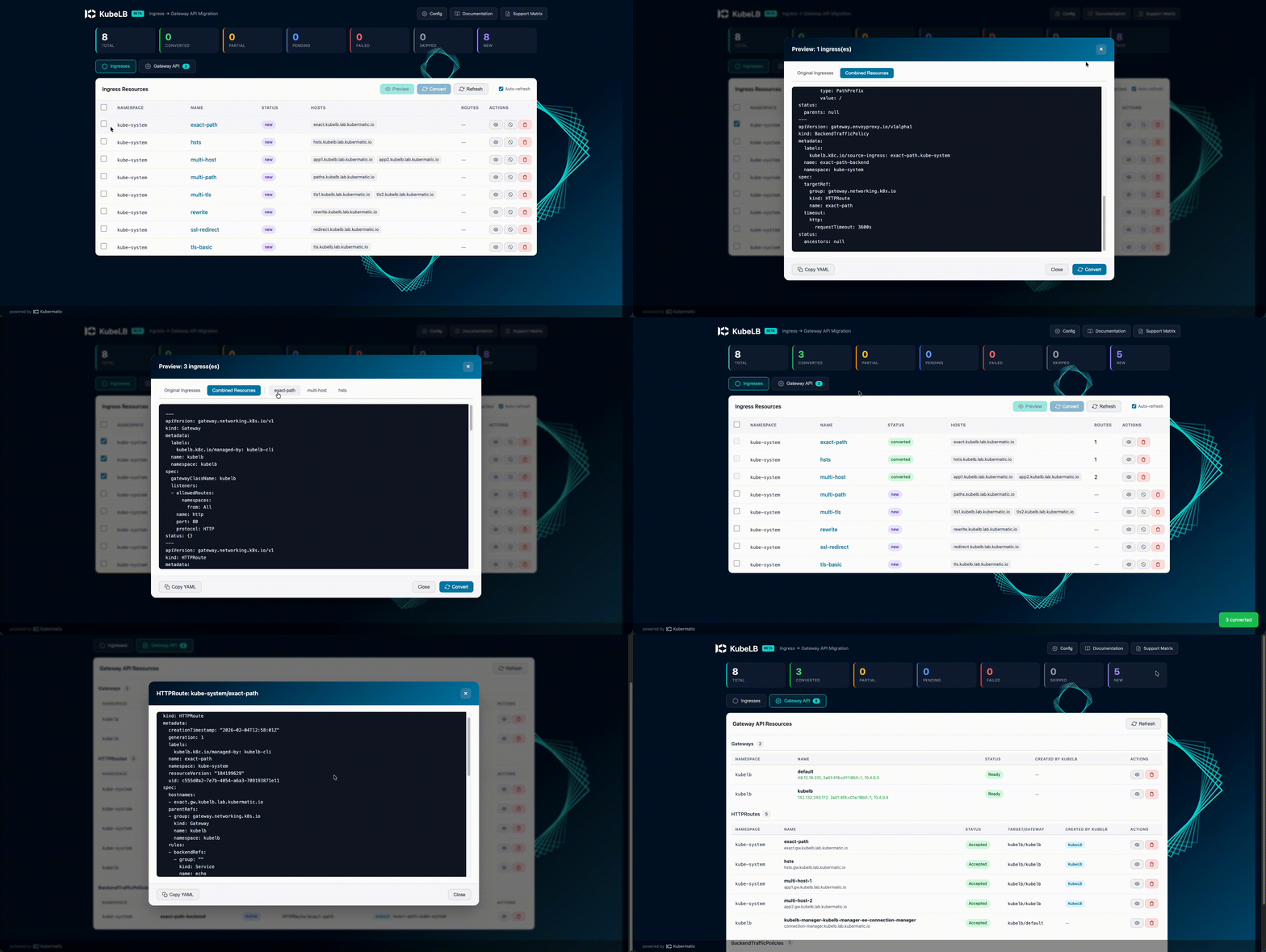
The dashboard provides the same capabilities in a browser. Start it with:
kubelb serve
This opens a local web server at http://localhost:8080. Use --addr :3000 for a different port. You can use environment variables or flags to configure the dashboard.
Demo
Dashboard
CLI
Support
Supported Ingress controllers:
- ingress-nginx
Supported Gateway API implementations:
- Envoy Gateway
We might expand this to cover other Ingress controllers and Gateway API implementations in the future. But for now, we are focusing only on these two.
For more details, please refer to the KubeLB Ingress to Gateway API Converter guide.
Configuration
The ingress conversion commands only need a KUBECONFIG – no tenant name or KubeLB backend connection. All conversion behavior is controlled through these options, settable as flags or environment variables:
| Flag | Env Var | Default | Description |
|---|---|---|---|
--kubeconfig | KUBECONFIG | (required) | Path to the kubeconfig for the cluster with your Ingress resources |
--gateway-name | KUBELB_GATEWAY_NAME | kubelb | Name of the shared Gateway resource created during conversion |
--gateway-namespace | KUBELB_GATEWAY_NAMESPACE | kubelb | Namespace where the Gateway is created. Must exist before converting |
--gateway-class | KUBELB_GATEWAY_CLASS | kubelb | GatewayClass the Gateway references. Must match an installed GatewayClass |
--ingress-class | KUBELB_INGRESS_CLASS | (all) | Only convert Ingresses with this class. Empty means convert all |
--domain-replace | KUBELB_DOMAIN_REPLACE | - | Source domain suffix to strip from hostnames (use with --domain-suffix) |
--domain-suffix | KUBELB_DOMAIN_SUFFIX | - | Target domain suffix to append after stripping (use with --domain-replace) |
--propagate-external-dns | KUBELB_PROPAGATE_EXTERNAL_DNS | true | Copy external-dns annotations from Ingress to Gateway/HTTPRoute |
--gateway-annotations | KUBELB_GATEWAY_ANNOTATIONS | - | Extra annotations for the Gateway (comma-separated key=value pairs) |
--disable-envoy-gateway-features | KUBELB_DISABLE_ENVOY_GATEWAY_FEATURES | false | Skip creating Envoy Gateway policies. Warnings are generated instead |
--copy-tls-secrets | KUBELB_COPY_TLS_SECRETS | true | Copy TLS secrets from Ingress namespace to Gateway namespace |
For details on which annotations are converted and how policies are generated, see the annotation tables in the automation guide.
Choosing Your Approach
| CLI | Dashboard | Automation | |
|---|---|---|---|
| Best for | Scripting, CI/CD, targeted operations | Visual exploration, YAML comparison | Hands-off, continuous conversion |
| Runs as | One-off commands | Local web server | In-cluster controller (Helm) |
| Scope | You choose what to convert | You choose what to convert | Converts everything automatically |
| Requires | Kubeconfig only | Kubeconfig only | KubeLB deployment |
| Rollback | Delete resources manually | Delete from UI | Remove annotations, delete resources |
A common approach: start with the Dashboard or CLI to assess your landscape, and enable Automation for ongoing conversion of new Ingresses using KubeLB Helm chart.